
Use AI to Organize Household Paperwork Without Uploading Your Private Records
Start with a list of jobs
You can ask AI to organize a household paperwork backlog without handing it the paperwork. Describe the task in general terms, ask for a short sequence of actions, and verify every deadline and requirement with the original document or issuing organization. Keep account numbers, identification, signatures and private family information out of the prompt.
A stack of envelopes after a stretch of long shifts can contain several different jobs. One document needs filing. Another requires a call during office hours. A third needs a decision you are not ready to make. Treating the entire stack as one weekend project makes it easy to postpone.
The practical use for AI is to break that work into smaller steps. It should not decide whether a notice is legally valid, how long a tax record must be retained, whether insurance is adequate or which financial choice you should make.
Sort the task before the document
Take a first pass yourself. Make an inventory with a short label such as “benefits question,” “service bill to check,” or “warranty receipt to file.” You do not need the provider, account identifier or private contents in an AI prompt.
Assign each item one next action:
| Action | Example | What finishes this step |
|---|---|---|
| Verify | A bill has an unfamiliar charge | Record the explanation from a trusted source and any follow-up |
| Ask | A form requests information you do not understand | Get the issuer's explanation before completing it |
| Decide | Two service options need comparison | Gather comparable terms; make the decision yourself |
| File | A receipt needs a retrievable home | Put it in the chosen location and confirm you can find it |
| Follow up | An earlier request has no response | Check its status through a verified contact route |
This table is an FSF organizing method, not a legal classification. An urgent notice can require immediate professional help. Do not let a scheduled “paperwork session” delay a deadline or response that needs attention now.
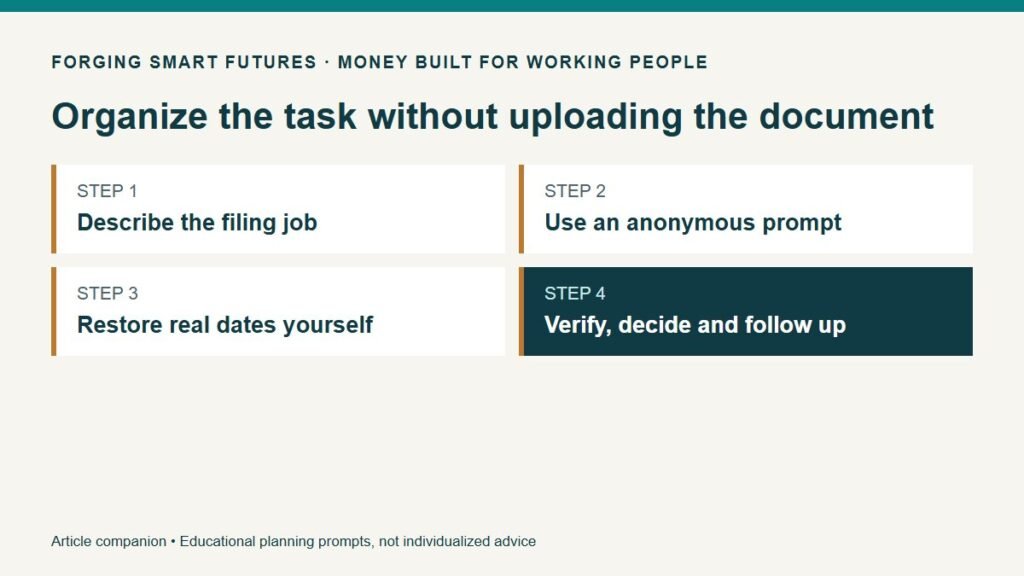
Use an anonymous prompt
Here is a prompt you can adapt:
Help organize this fictional household task list: [generic task labels]. I have [available time windows], and some calls must happen during [verified contact hours]. Return one small next action for each item, information I must check myself, and a suggested order. Do not invent deadlines, required forms, phone numbers, rights or retention periods. Leave unknown facts marked “verify.” Do not ask me to upload documents or include personal identifiers.
You still have to check the output. NIST describes the risk of generative AI presenting false information confidently. A polished task table does not establish that its dates or instructions are correct. The anonymous workflow here is FSF's practical application of output checking, not a NIST-certified privacy system. NIST Generative AI Profile.
Avoid treating “I removed the name” as complete anonymization. A combination of a precise address, employer, dates and personal circumstances can still identify someone. For this task, generic labels often provide enough context. Check the current service's privacy terms and settings before sharing any information, and use a manual list when unsure.
Put real dates back in yourself
Keep the working list on your own chosen device or paper. Read each original document and record the date it actually states, the source and the date you checked it. If the wording is unclear, ask the issuer through a contact route you independently trust. An AI-generated phone number or a suspicious message is not that verification.
Separate the external deadline from your planned work time. They are different fields. A Tuesday lunch break might be when you plan to call; it does not change a Monday deadline. A reminder several days earlier also does not prove the task was completed.
For a fictional example, Morgan works nights and needs clarification from a service provider. Morgan has verified that calls are accepted during a particular daytime window. The next action is to prepare three questions and schedule time within that window. The task is not “resolve the whole account in fifteen minutes.” Morgan records the answer afterward and creates another action if it remains unresolved.
The example makes no claim about any real provider's opening hours or response time. You supply those facts from the actual source.
Make a question sheet instead of asking AI to decide
For a confusing service bill, ask for a neutral list of questions based on an anonymous description. Useful questions might include: What period does this charge cover? Which document explains it? Is there a correction process? What is the next step if the explanation does not match my records?
Check the questions before using them. Remove assumptions, accusations or claims of rights that you have not verified. If the matter involves a legal dispute, tax obligation, insurance coverage or another consequential decision, get suitable help rather than treating an AI response as advice.
Record what actually happened: the date, verified contact channel, general outcome and next step. Keep sensitive details in an appropriate private record, not in a prompt or broadly shared task board. Mark “done” only when the evidence supports it. A submitted request may still need confirmation.
Keep finding and protecting separate
A good filing label makes a record retrievable; it does not secure the record. The FTC recommends keeping documents containing personal or financial information in a safe place and using account protections such as strong passwords and multifactor authentication where available. Choose storage and access arrangements suitable for your records and household. FTC identity theft guidance.
The CFPB also offers a document-organization tool developed for servicemembers and their families. It distinguishes documents you have from those you may need and prompts next steps. Its military-family context matters; it is not a universal list of legal documents every reader needs. CFPB organizing financial and legal documents.
Do not use an AI cleanup list as permission to destroy originals. Retention needs depend on the record and circumstances. Check the relevant authoritative requirement or suitable professional guidance before disposing of something important. This article intentionally provides no blanket “keep everything for seven years” rule.
If another household member needs to help, decide what they need access to and how to provide it appropriately. Possessing a task list or password is not the same as legal authority to act for someone. Keep those questions separate.
Try one short session
Choose three items. Give each a generic label and one next action. Identify anything urgent immediately. Use AI only if arranging the list helps; a pen and a simple table work too. Add verified dates yourself and fit the actions into your actual shifts and available contact hours.
At the next review, ask whether each item is finished, waiting on someone or needs a different next action. The useful result is a smaller unresolved pile and a record you can find. No app can promise that outcome merely by generating a checklist.
Start with the FSF Before You Paste checklist, then explore the AI for Work & Real Life hub. Keep bill amounts and cash-flow planning in the FSF budget planner rather than asking a paperwork task list to make financial decisions.
General education only, not individualized financial, tax, legal, insurance or cybersecurity advice. No affiliate relationship or paid software recommendation. Illustrations and workflow are original teaching examples, not a claimed household trial.
Editorial review: Owner reviewed and approved this article for release on September 9, 2026. Prepared with AI assistance by FSF Editorial Team; no professional adviser review is claimed.
Editorial attribution: Paul Foster
Published: September 9, 2026
Sources & References
- https://nvlpubs.nist.gov/nistpubs/ai/NIST.AI.600-1.pdf
- https://consumer.ftc.gov/articles/what-know-about-identity-theft
- https://files.consumerfinance.gov/f/documents/cfpb_ymyg-servicemembers-tool_get-financial-legal-documents-in-order.pdf
- https://forgingsmartfutures.com/ai-before-you-paste-checklist/
- https://forgingsmartfutures.com/ai-for-working-people/
- https://forgingsmartfutures.com/variable-pay-budget-planner/
Put this into practice
Use AI for drafts and organization while keeping facts and judgment with you. Free AI for Work & Real Life checklist — no membership required.
Related decisions
- A 20-Minute Money Meeting for Couples on Different Shifts
- Use AI to Plan Groceries Around Your Shifts—Then Check the Cart Yourself
- AI at Work: Five Useful Tasks to Try Before Paying for Another App
Expanded member resource: AI for Work and Real Life Practice Workbook. Guided exercises with local save, reopen and print controls. Worksheet answers are not automatically calculated. Compare free resources and FSF membership benefits.
Human-reviewed, AI-assisted content; how FSF creates articles.