
Use AI to Plan Groceries Around Your Shifts—Then Check the Cart Yourself
The useful job for AI
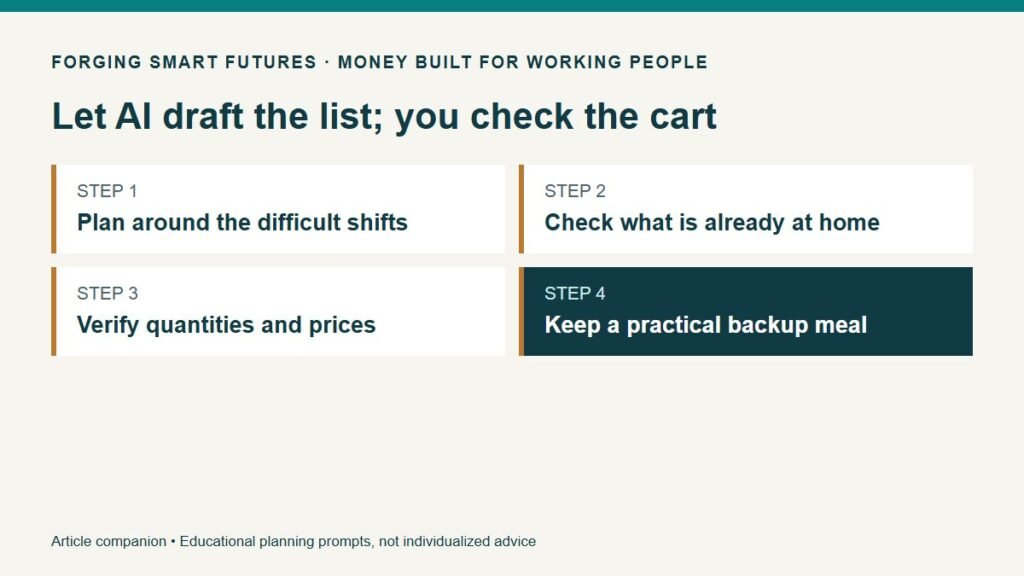
Give an AI assistant a short, anonymous description of your week and ask it to organize meals and a shopping list. Check the result against your actual pantry, store prices, schedule and food-handling requirements before you buy anything. A convincing list can still contain the wrong quantities, invented prices or a meal you cannot prepare during your workweek.
For someone working rotating shifts, the problem often starts before the grocery store. A plan assumes an hour to cook on the evening you get home exhausted. Ingredients bought for one recipe have no second use. Lunch requires a refrigerator or microwave that is unavailable at work. An unexpected overtime shift disrupts everything.
AI can help arrange those constraints into a first draft. It does not need your employer's name, home address, children's details or a photograph of your bank statement. Start with a fictional week if you are learning how the tool works.
Plan the hard days first
Before asking for recipes, write down three things: when you can prepare food, what you can actually use at work, and which meals must be ready with little effort. Count the meals and people you are planning for. A dinner plan for two people is different from breakfast, lunch and dinner for a household.
Suppose Jordan has three long shifts, two ordinary workdays and two days off. This is an invented teaching example, not a reader testimonial. Jordan wants five dinners for two adults and three work lunches for one adult. That is thirteen individual servings, although serving sizes will vary.
Jordan's notes might say:
- Preparation window: one hour on the first day off, plus a short midweek session.
- Long-shift evenings: ten minutes of hands-on preparation at most.
- Work lunch: specify the actual storage and reheating arrangements; do not assume equipment is available.
- Pantry: list usable items and quantities after checking them.
- Spending ceiling: $75 for this specific shopping list, including any applicable charges; this is a fictional household target, not a claim that $75 meets everyone's food needs.
- Backup: one practical meal for a shift that unexpectedly runs late.
The constraints make the request useful. “Create a cheap healthy meal plan” leaves the assistant to guess too much. This workflow is about household organization; it does not create a medical diet or certify nutritional adequacy.
Give the assistant a job with boundaries
Here is a reusable prompt. Replace the bracketed text with information you are comfortable sharing, after checking the service's current privacy settings and terms.
Organize a draft meal and grocery plan for this fictional week: [schedule]. Cover [number of meals and people]. I have [verified pantry items and quantities]. Available preparation time is [time]. My storage and reheating arrangements are [arrangements]. Use a maximum of [number] new recipes. Reuse ingredients where practical. Do not invent store prices. Leave prices blank for me to check. Return a meal table, combined ingredient quantities, items to buy, and unanswered questions. Flag any assumption you make. Do not determine food safety, allergy safety or medical suitability; mark those for independent checking.
An instruction is not a guarantee that the assistant will comply. NIST's generative-AI risk profile describes how these systems can confidently produce incorrect content. That is why the check after generation is part of the task, not optional cleanup. NIST Generative AI Profile.
Read the unanswered questions first. If the assistant assumed a freezer, oven, car, bulk-store membership or workplace refrigerator you do not have, correct the assumption before improving the recipes.
Check four things before the list becomes a purchase
Count the servings. Mark which meal produces which lunch. Two dinner portions cannot also become three lunches unless enough food is prepared. Ask the assistant to show its count, then count it yourself. Reused ingredients are useful; imaginary leftovers are not.
Separate recipe quantities from purchase quantities. A recipe may use part of a package, but checkout charges for the package you buy. If a recipe needs one cup and the store sells a larger container, record the full purchase cost. Note a realistic use for the remainder without forcing another recipe into a crowded week.
Check the actual basket. Use current prices from the store you intend to use. Verify package size, unit price, availability, coupon conditions and any delivery or pickup charges. A price from an AI answer is not a quote. Replacing a missing ingredient may change both cost and suitability.
Check handling and suitability separately. An AI schedule is not food-safety approval. Use an appropriate authoritative source for storage and handling and check product labels. For example, FoodSafety.gov lists cooked meat or poultry leftovers at three to four days in a refrigerator at 40°F or below. A Sunday preparation session does not automatically cover refrigerated leftovers for the entire week. Use the guidance for the actual food and handling situation; do not extend dates because a generated plan says to. FoodSafety.gov cold storage chart.
For allergies or medical dietary requirements, use suitable professional guidance and check labels and cross-contact issues. Do not rely on an AI substitution to declare a food safe for a particular person.
Put the basket beside the budget
Imagine Jordan checks a fictional basket and records $62 of ingredients plus $8 of additional charges. The expected total is $70, leaving $5 under the chosen $75 ceiling. If a replacement package adds $7, the revised total becomes $77, which is $2 over that ceiling. These are arithmetic examples, not current grocery prices or promised savings.
The useful response is a choice Jordan can make: remove an optional item, select a checked alternative, change one meal, or revise the allocation if the household budget permits it. Ask the assistant to rearrange the plan using your corrected numbers. Recheck the total with a calculator.
Do not count an avoided restaurant meal as automatic savings. Compare actual spending with what you realistically would have spent, including ingredients discarded, extra trips and paid delivery. If the plan saves money but requires hours you do not have, simplify it.
The FSF variable-pay budget planner can help place your chosen food allocation alongside other monthly spending. It cannot determine what your household should eat or whether a food budget is adequate.
Make one backup part of the plan
A week can change after groceries are purchased. Choose one backup that fits your actual equipment, time and safe-storage arrangements. Label the meal it replaces so that you do not buy for both unnecessarily. If you are too tired to follow a complicated plan, that is useful design feedback.
At the end of the week, record just three observations: which meal worked on a long shift, which ingredient went unused, and the actual spending for the planned basket. Use those facts in the next prompt. Avoid uploading receipts containing personal or payment information simply to save typing a few totals.
Try the process for three meals first. A smaller plan is easier to check and revise. You do not need a paid AI subscription to establish whether this workflow helps; use an available tool within its current terms or arrange the same table manually.
Your next step
Write your next three difficult meal slots on paper. Add preparation time, equipment and one usable pantry item for each. Ask for a draft, then check servings, purchase sizes, prices and handling before shopping. Keep the version you corrected so next week's plan starts with your experience.
Before sharing information with an AI service, use the FSF Before You Paste checklist. The AI for Work & Real Life hub brings together practical tasks for work and home.
General educational information only; not individualized financial, medical or nutrition advice. No AI service, grocery retailer or affiliate relationship is recommended in this article. Examples and prompts are original FSF teaching illustrations; no household trial or savings result is claimed.
Editorial review: Owner reviewed and approved this article for release on September 9, 2026. Prepared with AI assistance by FSF Editorial Team; no professional adviser review is claimed.
Editorial attribution: Paul Foster
Published: September 9, 2026
Sources & References
- https://nvlpubs.nist.gov/nistpubs/ai/NIST.AI.600-1.pdf
- https://www.foodsafety.gov/food-safety-charts/cold-food-storage-charts
- https://forgingsmartfutures.com/variable-pay-budget-planner/
- https://forgingsmartfutures.com/ai-before-you-paste-checklist/
- https://forgingsmartfutures.com/ai-for-working-people/
Put this into practice
Use AI for drafts and organization while keeping facts and judgment with you. Free AI for Work & Real Life checklist — no membership required.
Related decisions
- When a Five-Week Month Breaks Your Grocery and Fuel Budget
- Use AI to Organize Household Paperwork Without Uploading Your Private Records
- AI at Work: Five Useful Tasks to Try Before Paying for Another App
Expanded member resource: AI for Work and Real Life Practice Workbook. Guided exercises with local save, reopen and print controls. Worksheet answers are not automatically calculated. Compare free resources and FSF membership benefits.
Human-reviewed, AI-assisted content; how FSF creates articles.