
Budget App or Spreadsheet for Variable Pay? Compare the Tradeoffs
The short answer
Choose the system that can show your next lower-pay period, the bills due before the following deposit and the money already committed elsewhere. Test that workflow before paying for automation. A clean spending chart is useful, but it does not answer whether Thursday's bill can be paid before Friday's paycheck.
This is a method comparison, not a ranking of named products. App features, prices and data policies need a separate current review. FSF has not tested or endorsed a product in this article.
Give both systems the same job
Start with a small fictional test instead of entering all your accounts. Give the app or spreadsheet a starting balance of $300, a Friday deposit of $850, a Thursday bill of $400 and $150 of weekend spending. Ask it to show the lowest balance as well as the ending balance.
The sequence reaches −$100 on Thursday and ends at $600 after Friday's deposit and weekend spending. A tool that only displays the $600 result has missed the decision you need to make. The negative amount represents an unfunded gap, not an available overdraft.
Next reduce the deposit to $650. The ending balance becomes $400, while the Thursday gap remains. That separates the income-size problem from the payment-date problem. The CFPB cash-flow worksheet offers a primary-source example of organizing money by timing; the fictional test above is FSF's own illustration.
Compare the work you will actually do
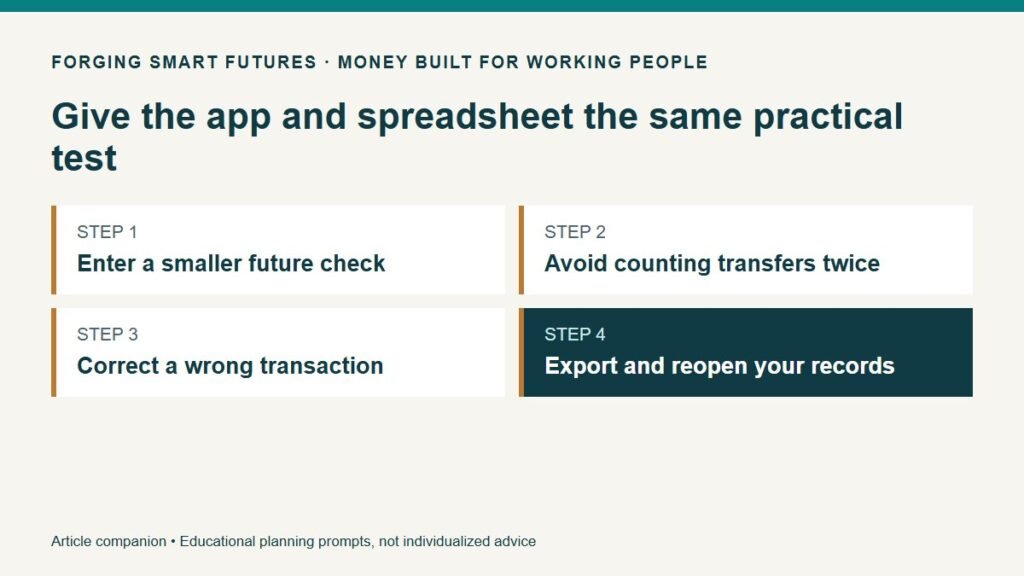
| Test | App questions | Spreadsheet questions |
|---|---|---|
| Enter a smaller future check | Can you override an estimate without changing past income? | Are planned amounts separate from actual deposits? |
| Handle a transfer to savings | Does it become an expense and income twice? | Have you marked the transfer consistently? |
| Add an annual bill | Can you distinguish a reserve from the actual payment? | Can you enter the due date without double-counting the reserve? |
| Fix a wrong transaction | Is editing clear, and does the change affect later totals? | Can you trace which formula uses the edited cell? |
| Leave the system | What can you export and retain? | Can you open the file without the original service? |
Do not give every row the same importance. If your household's main difficulty is two people keeping the plan current, shared editing may matter more than chart design. If the difficulty is uncertain overtime, future-pay overrides may matter more than automatic categorization.
Automation has a maintenance cost too
A connected app may reduce manual entry, but you still need to notice missing transactions, wrong categories and changes in your schedule. Verify those capabilities in the actual product. A spreadsheet can be flexible, but a copied formula or deleted row can damage its results.
Try a normal maintenance session: update one deposit, mark a bill paid and reconcile the starting balance. Time the process. Then return a few days later without your original setup notes. If the system is confusing when you are rested, it may not become easier after a twelve-hour shift.
For a spreadsheet, keep an untouched example, clearly label input cells and test totals after adding rows. For either method, retain a recoverable copy through the method the product supports. Do not assume an autosave feature is a backup or that a downloaded report contains editable data.
Put a price on convenience without inventing savings
Suppose a hypothetical app costs $6 per month and saves fifteen minutes a week compared with your current method. That is $72 annually for about thirteen hours of time, using 52 weeks. It works out to roughly $5.54 per hour of time saved.
Those are assumptions, not a claim about any app. Time saved is not automatically additional wages. The purchase might still be worthwhile if it makes the household plan easier to maintain, but do not justify it with income you will not earn or fees it has not actually prevented.
Run the same comparison after the first month. If you spent more time fixing the import than maintaining the spreadsheet, revise the estimate. Your own usage is better evidence than a list of features you never open.
Check access and privacy before connecting accounts
Read the product's current account-connection, data-handling, cancellation and export information. Distinguish the budgeting product from any separate account-linking provider. Do not enter bank credentials into a prompt or send them to someone offering setup help.
A manual file also needs protection. Consider who can open it, where it is synchronized and what happens if the device is lost. “Spreadsheet” does not necessarily mean offline; “app” does not necessarily mean bank-connected. Judge the configuration you intend to use.
Make a reversible choice
Choose a short trial using fictional data first, then a manageable live period after the access review. Write your pass criteria before starting: correct dates, understandable changes, acceptable upkeep and usable export. If it fails a critical criterion, keep the old records while changing methods.
Use the FSF Variable Pay Budget Planner for a basic pay-and-spending comparison. The purpose of choosing software is to support a workable routine, not to postpone looking at the next payday.
General education only, not individualized financial, investment, tax, legal or credit advice. Examples are fictional and depend on the stated assumptions. Prepared with AI assistance by FSF Editorial Team; reviewed for publication by the FSF publisher.
Editorial attribution: Paul Foster
Published: September 10, 2026 Last reviewed: September 10, 2026
Sources & References
Put this into practice
Build a plan that still makes sense when overtime falls. Free Budgeting checklist — no membership required.
Related decisions
- How to Budget When Overtime Changes Your Paycheck Every Month
- Paid Every Two Weeks? Build a Bill Calendar That Fits
- A 20-Minute Money Meeting for Couples on Different Shifts
Expanded member resource: Variable Pay Household Planning Workbook. Guided exercises with local save, reopen and print controls. Worksheet answers are not automatically calculated. Compare free resources and FSF membership benefits.
Human-reviewed, AI-assisted content; how FSF creates articles.