
AI at Work: Five Useful Tasks to Try Before Paying for Another App
Start with a task you already understand
You do not need to build software or buy another subscription to decide whether AI can help you. Start with a small piece of work you already know how to check: organizing rough notes, drafting a routine message, or preparing questions for a conversation.
The goal is a useful result with less total effort. A draft that takes ten seconds to generate and twenty minutes to correct may be worse than doing the job yourself.
For working people, the best first experiment often sits around the work rather than inside a critical decision. You may know your equipment, customers or trade extremely well while still spending unpaid time writing, sorting information or figuring out how to explain your experience. Those are practical places to test a tool.
Use your employer’s approved tools and information-handling rules. If you are practicing on your own, make up the details. Do not paste real customer records or internal documents into an unfamiliar service to see what happens.
1. Organize rough notes without adding facts
Suppose a fictional delivery coordinator writes: “Delivery due Thursday. Supplier has not confirmed time. Ask receiving lead to check tomorrow.” The note contains a due day, an uncertainty and a follow-up. It does not contain a confirmed arrival time or approval.
A useful request is: “Organize these fictional notes under Confirmed facts, Open questions and Next actions. Use only the information supplied. Do not invent times, names or approvals.”
The draft should keep the delivery time unconfirmed. If it says “Thursday at 9 a.m.,” that polished sentence is wrong. Compare the final draft against the source note line by line.
This same approach can help with a meeting summary or routine handoff, provided the information and tool are approved for that use. Keep operational records in the system your workplace requires. An AI draft should not silently replace the original record or a supervisor’s decision.
2. Draft a routine message you will review
You know what you want to ask but may not want to spend your break rewriting it. Give the tool the purpose, the necessary facts and the tone.
Example: “Draft a short, polite message asking whether next week’s training starts at the usual location. Do not suggest that a location change has been announced. Leave the recipient and sender names blank.”
Read it before sending. Check that the request does not promise something you cannot deliver, disclose information unnecessarily or imply approval you do not have. You remain responsible for the message.
You can also do this manually with three sentences: the context, the question and the next step. If that takes a minute, an AI subscription may add little value for this task.
3. Organize evidence for a career conversation
Before asking for a raise or applying for a role, collect real examples of your work. A rough list might include training a new hire, taking on a scheduling responsibility or helping resolve a recurring customer issue. Do not invent measurements just because a resume template wants numbers.
Ask the tool to sort your own non-confidential notes into responsibilities, outcomes and evidence still needed. It can flag where an example is vague. It cannot make an unsupported claim true.
If you do not know how many hours an improvement saved, say what changed and gather evidence. Do not publish “cut downtime by 30%” because it sounds stronger. Practice explaining what you did, how you know it helped and what responsibility you are ready to take on next.
4. Build a learning plan around approved material
Starting a new role later in life can mean learning vocabulary and procedures that others already know. AI can help organize a study plan or generate practice questions from material you are permitted to use.
Keep the distinction clear: a study aid helps you prepare to learn; it does not qualify you to operate equipment, interpret a safety requirement or perform work that requires supervision. Check explanations against the approved training material and ask the instructor about discrepancies.
A useful brief might be: “Create a one-week study schedule for these topic headings. Include questions to ask my instructor. Do not generate operating instructions.” The result is a plan for study, not a substitute procedure.
5. Draft a small-business scope, then check every commitment
If you run a side business, writing quotes and follow-up messages counts as work time. AI can help organize a scope into included work, excluded work, customer responsibilities and questions that still need answers.
Use a fictional practice job first. Keep your actual price calculation in a worksheet or calculator you can inspect. Verify quantities, time, travel, materials and exclusions yourself. The draft must not create warranties, legal terms, tax conclusions or customer promises without your review and any professional help needed.
For example, a cleaning-service draft should not turn “exterior windows only” into “all windows inside and out.” One extra phrase can change the job you have offered to do.
Count all the time, including rework
Use a simple comparison over several similar tasks:
Manual time minus AI preparation, drafting, checking and correction time equals estimated time saved.
In a fictional example, a task takes 20 minutes manually. Preparing the AI brief takes 4 minutes, drafting takes 1, checking takes 6 and correcting takes 5. The saving is 4 minutes, not 19. If you perform that task ten times per month, the estimate is 40 minutes saved. That is a planning example, not a promise of results.
Time saved does not automatically become income. You may use it for rest, other work or a shorter admin session. Before paying, decide whether the particular feature solves a problem often enough to justify its cost. Include free and manual alternatives in the comparison.
A first experiment for this week
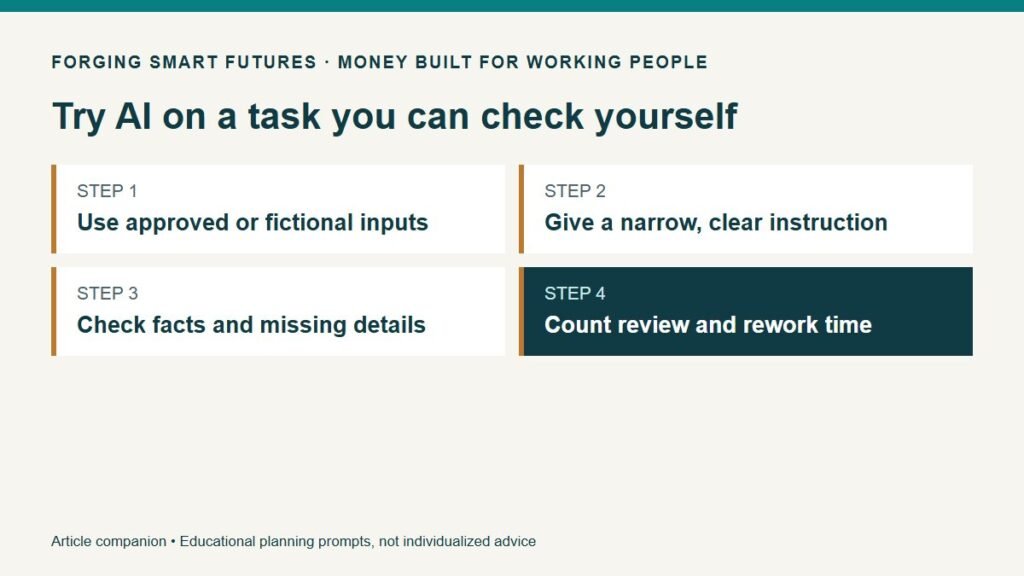
Choose one low-risk task with fictional or explicitly permitted information. Write down how you normally do it and how long it takes. Define the output, supply only allowed facts and ask the tool to mark unknowns. Check the entire result. Record what it got wrong and how much time the correction took.
Repeat with a few comparable tasks before concluding that you need a subscription. If the workflow helps, save the brief structure without retaining sensitive examples in an unapproved location. If it does not help, you have learned something useful without adding another recurring bill.
FSF resource and next step
Use the Before You Paste: AI at Work Checklist to work through your own example.
Sources and editorial context
NIST AI Risk Management Framework describes a voluntary approach to considering AI risks and trustworthiness. It is broader organizational guidance, not a claim that this article certifies a workflow. Grow with Google AI Essentials provides a primary-source example of general AI learning content. The fictional examples and practical exercises above are original FSF educational material; no vendor output was represented as a tested product demonstration.
General education only. Follow employer policies, approved procedures and qualified supervision. FSF provides no individualized financial, investment, tax, legal or credit advice. No affiliate links are included in this article.
Prepared by FSF Editorial Team. Last editorial review: September 8, 2026.
Editorial attribution: Paul Foster
Published: September 8, 2026
Put this into practice
Use AI for drafts and organization while keeping facts and judgment with you. Free AI for Work & Real Life checklist — no membership required.
Related decisions
- Use AI to Clean Up a Shift Handoff Without Inventing What Happened
- Use AI to Plan Groceries Around Your Shifts—Then Check the Cart Yourself
- Use AI to Organize Household Paperwork Without Uploading Your Private Records
Expanded member resource: AI for Work and Real Life Practice Workbook. Guided exercises with local save, reopen and print controls. Worksheet answers are not automatically calculated. Compare free resources and FSF membership benefits.
Human-reviewed, AI-assisted content; how FSF creates articles.