
AI for Service-Business Quotes: Draft the Scope, Then Check the Numbers
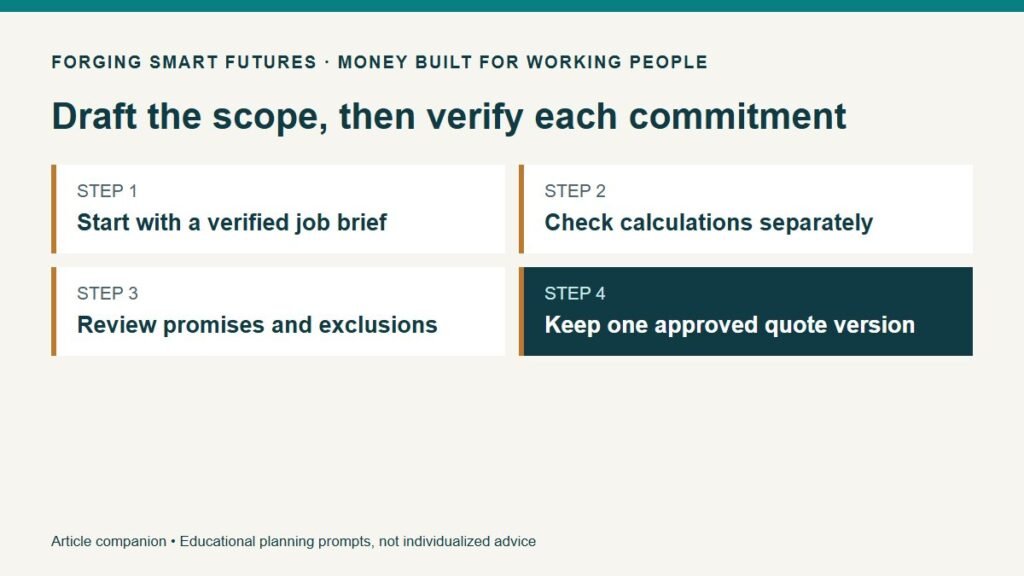
The useful starting point is a verified job brief
If you run a weekend service business, writing the quote can consume time you never bill. An AI tool may help organize a brief you already understand. It should not decide what the customer needs, invent measurements or promise work you have not inspected and priced.
Use it after gathering the facts and before sending the final quote. Keep your own calculation sheet separate so a well-written paragraph cannot hide a missing cost.
NIST's generative-AI profile describes risks from incorrect generated content. For a service business, even a small invented detail can change what a customer expects. The quote workflow below is FSF's own practical method. NIST Generative AI Profile.
Write six things before asking for a draft
Record the requested work, what you verified, the work you propose to include, the work excluded, the unresolved questions, and the proposed timing or conditions. Keep uncertain information in the questions section.
For example, a customer may request “clean the property before the weekend.” That does not establish the size, surfaces, condition, access, water availability or exact deadline. A quote based on the phrase alone may leave both sides with different ideas of the job.
Do not copy customer addresses, access codes, photographs, account details or other private information into an unapproved tool. Use a customer reference and a sanitized description where possible. Review the tool's actual data handling and the permissions attached to the material.
A fictional exterior-cleaning job
Jules is preparing a quote for a fictional, non-specialist exterior-cleaning service. The verified brief identifies the surfaces to be cleaned, an agreed access arrangement and an estimated working area. Jules still needs to confirm the proposed date and whether movable items will be cleared before arrival.
The brief excludes roof work, repairs and any surface not listed. It does not promise stain removal that Jules cannot verify. Applicable permissions, insurance and safe working methods require separate checks for the real business and job.
A suitable drafting request is:
Turn this verified brief into a plain-English quote draft. Use sections for included work, excluded work, customer preparations, unresolved questions, proposed schedule and price. Do not invent measurements, dates, certifications, guarantees, payment terms or legal clauses. Mark missing information “Confirm before sending.” Use the supplied price exactly; do not recalculate it.
The output is still a draft. Jules must resolve or deliberately qualify every unfinished item before it becomes a customer-facing offer.
Check the money outside the prose
For an original fictional calculation, assume Jules models eight total business hours at an internal labor allowance of $30 per hour, plus $60 of materials, $25 of travel costs and $35 of allocated operating costs.
| Planning item | Calculation | Amount |
|---|---|---|
| Internal labor allowance | 8 hours × $30 | $240 |
| Materials | Entered estimate | $60 |
| Travel costs | Entered estimate | $25 |
| Allocated operating costs | Entered estimate | $35 |
| Modeled cost allowance | Sum | $360 |
| Hypothetical quoted price | Chosen for illustration | $450 |
| Difference before omitted costs and taxes | $450 − $360 | $90 |
The $30 figure is a chosen internal allowance, not a recommended wage or a legal payroll calculation. The $90 difference is not guaranteed take-home pay. The example omits any payment fee not included in the listed costs, taxes and other costs that might apply. It does not establish whether $450 is competitive or adequate for a real job.
This is also different from the free FSF side-gig calculator's operating-profit view. If an owner treats their own time as an internal pricing allowance, they must label it consistently. Do not count the same time allowance twice or confuse a pricing estimate with actual cash already paid out.
Review promises one sentence at a time
Compare the draft with the brief and calculation sheet. Check quantities, areas, customer responsibilities, arrival dates, price and exclusions. Look for language that expands the job: “all surfaces,” “complete restoration,” “guaranteed removal,” or “at no additional cost.” Keep a phrase only if it accurately describes what you intend and can provide.
Ask what happens if the job differs from the inspected scope. Establish an appropriate process for discussing and approving changed work; do not let the AI silently invent that process. For binding terms, warranties, cancellation charges or other legal provisions, use an appropriately reviewed business document rather than assuming generated language is suitable.
An attractive layout does not validate the quote. Read the final version once as the person doing the work and once as the customer deciding what is included.
Send one version and keep the record
Assign a quote number and date. Keep the brief, calculation and exact version sent. If the customer requests a change, revise the quote clearly rather than leaving competing totals in several messages.
Record acceptance through the process appropriate to your business. An AI-generated summary of a phone conversation is not proof the customer accepted every term. Check the underlying record and clarify unresolved points.
After the job, compare estimated with actual materials, total time, travel and other costs. That comparison improves the next quote more than repeatedly asking a tool for “better pricing.”
Measure whether the tool is actually helping
For three low-risk drafts, record time spent preparing the brief, prompting, reviewing, correcting and formatting. Compare the total with your normal template. Count corrections that would have changed the price or scope if missed.
If the AI workflow takes longer or introduces too many errors, keep the ordinary template. A paid AI subscription should solve a demonstrated problem in your own workflow.
Use FSF's Before You Paste checklist before entering business information. After a completed job, use the True Hourly Side-Gig Calculator to examine collected revenue, operating costs and all the time the work consumed.
Educational disclaimer: General business and financial education, not individualized legal, tax, insurance, accounting or financial advice. Jules and every amount are fictional. This article does not establish licensing, safety, insurance or contract requirements for a particular service.
Source checked September 8, 2026: NIST profile linked above. Quote structure, prompt and financial examples are original FSF material.
Editorial review: Owner reviewed and approved this article for release on September 9, 2026. Prepared with AI assistance by FSF Editorial Team; no professional adviser review is claimed.
Editorial attribution: Paul Foster
Published: September 9, 2026
Sources & References
- https://nvlpubs.nist.gov/nistpubs/ai/NIST.AI.600-1.pdf
- https://forgingsmartfutures.com/ai-before-you-paste-checklist/
- https://forgingsmartfutures.com/true-hourly-side-gig-calculator/
Put this into practice
Use AI for drafts and organization while keeping facts and judgment with you. Free AI for Work & Real Life checklist — no membership required.
Related decisions
- How to Price a Weekend Job Without Forgetting Your Costs
- What Will It Cost to Start Your Service Business Before the First Customer?
- Free or Paid AI Tools for Working People: Test Your Actual Tasks First
Expanded member resource: AI for Work and Real Life Practice Workbook. Guided exercises with local save, reopen and print controls. Worksheet answers are not automatically calculated. Compare free resources and FSF membership benefits.
Human-reviewed, AI-assisted content; how FSF creates articles.